Collecting posts allows you to group documents related to a specific topic so that you and your colleagues can easily find them in one place. You can add content to an Insight directly from the search results or while reading a specific document.
Collect from Search Results
When performing a broad search, you can quickly add multiple relevant items to an Insight without opening them individually.
-
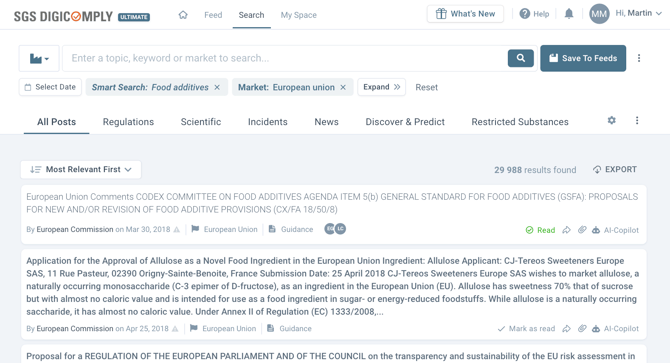
Navigate to Search: Go to the main Search tab and enter your keywords or apply filters.
-
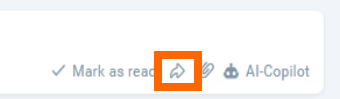
Locate the Share Icon: On each result card, look for the action controls in the bottom-right corner.
-
Click Share: Click the Share (arrow) icon to open the collection dialog.
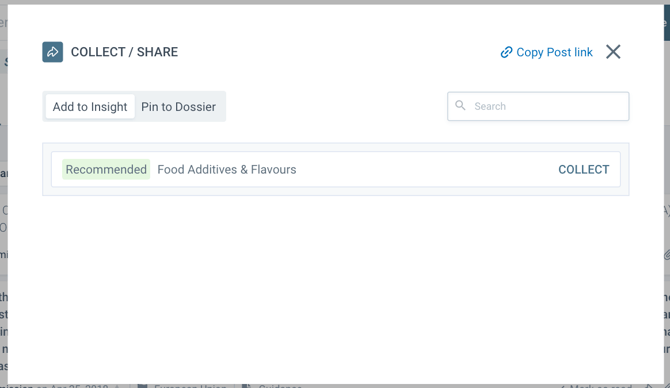
The system automatically identifies the Insights that might be used to collect the post. These Insights are listed with Recommended tag. In case you would like to add the post to a different Insight, use the search box.
When the correct Insight is found, click COLLECT and the post will be added to the list of posts of your Insight. The collected post will be then displayed with tag Already collected.
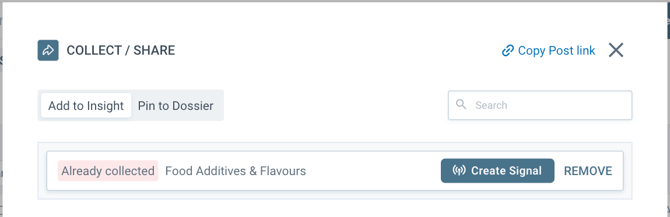
If needed, you can remove the post from Insight by clicking REMOVE.
After collecting the post, you can create a Signal from it. On this topic, we recommend reading What is Signal and How to create a Signal from the collected content.
Collect from Post Detail
If you are already reading a document and decide it is valuable for your project, you can collect it immediately.
-
Open the Post: Click the title to view the full document details.
-
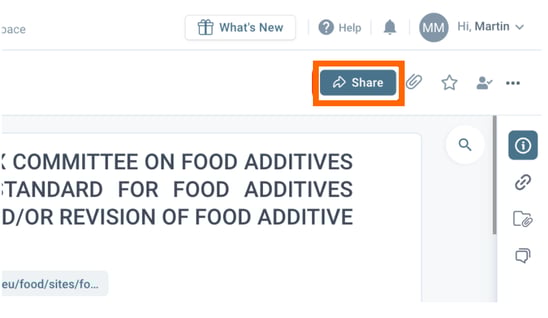
Click Share: Click the Share button located in the top-right corner of the toolbar.
3. Using the Collection Dialog Once the "COLLECT / SHARE" dialog is open (via either method above), follow these steps to finalize the process:
-
System Recommendations: The system automatically identifies Insights that might be relevant to the post and lists them with a Recommended tag.
-
Click the COLLECT button next to the recommendation to add it immediately.
-
-
Manual Search: If the Insight you want is not listed, use the Search box within the dialog to find it.
-
Confirmation: Once added, the post will display the tag Already collected.
Tip: From this same dialog, you can also REMOVE a post if it was added by mistake, or proceed to Create a Signal based on the content.