
Effectively managing a dossier requires understanding the difference between simply sharing it, formally releasing it, or transferring ownership. These three actions serve different purposes in the document lifecycle.
SHARING: Visibility & Collaboration
You can share a dossier at any stage (Draft or Released) to give others access.
-
Direct User Sharing - Share directly with a specific colleague.
-
-
The user finds the dossier in My Space > Dossiers > Shared with me.
-
-
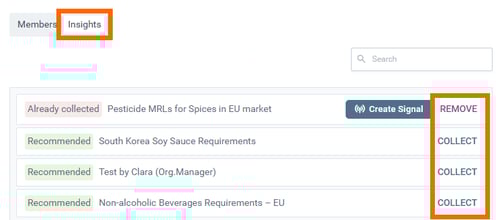
Insight Sharing - Share the dossier to a specific collaborative workspace (Insight).
-
Everyone with access to that Insight can see the dossier in their search results and access the content.
-

STATUS: Lifecycle Management
A dossier moves through specific statuses as it evolves. Note that the status itself does not strictly dictate visibility (that depends on sharing), but it indicates the document's status.
-
DRAFT: Work in progress.
-
SUBMITTED: Pending review or approval.
-
RELEASED: Finalized and published version.
ASSIGN: Ownership & Editing
Sharing gives access, but Assigning gives responsibility.
-
Action: Assign the dossier to a specific individual in your organization.
-
Result: The assignee gains full editing rights to modify the content.
-
Manager Override: Please note that Organization Managers retain the ability to take ownership of anyone's dossier at any time if needed.
👉More information on how to How to Share a Dossier
Discover our new onboarding platform full of video guides - SGS Academy!