Viewing Change Summaries
When you receive a notification that a dossier has been updated (e.g., an update to the Indonesian Food Regulatory Guide), you don't need to hunt for the changes manually.
-
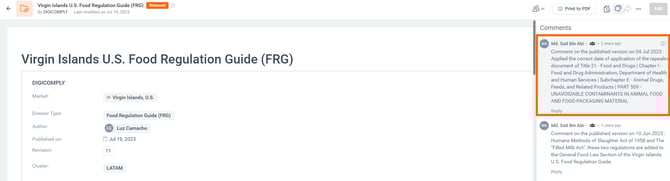
Access the Log: Open the dossier and look at the Comments & Activity panel on the right side of the screen.
-
Review the Summary: The author of the update will have left a summary of the changes
Creating Your Own Summaries
If you are the one editing a dossier, you can help your colleagues by providing these summaries.
-
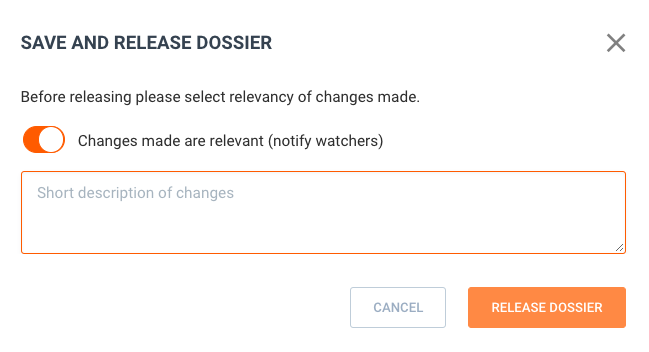
Release Prompt: Every time you release a new version of your dossier, the system will prompt you to "Save and Release Dossier".
-
Add Description: Enter a short description of what you changed in the text box provided.
-
Notify Watchers: Ensure the toggle for "Changes made are relevant (notify watchers)" is ON to send an alert to your team.