
ℹ️: Please be aware that access to the "My Organisation" section depends on your user role. Currently, only users with the Organization Manager role have permission to access this workspace and its administrative features.
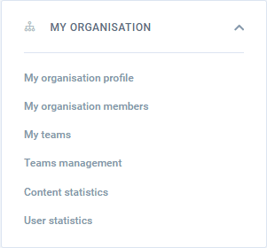
For Organization Managers, the My Organisation section within My Space acts as your primary administrative control panel. This hub allows you to oversee licenses, invite colleagues, group users into teams, and monitor how your organization is utilizing the platform.
My Organisation Profile
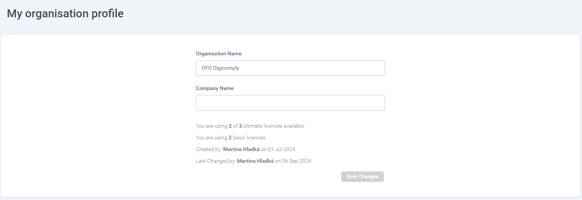
This is your dashboard for company details and billing.
- You can update your official Organisation Name and Company Name.
- Use this page to track your total available versus actively used licenses (such as Ultimate or Basic) so you know exactly when you need to upgrade.
My Organisation Members
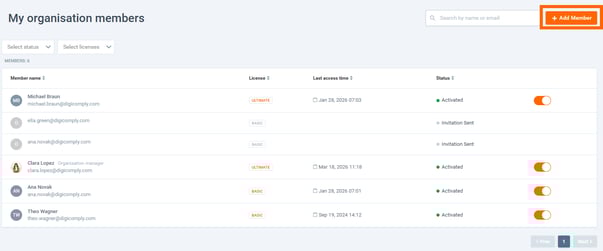
This is where you control who has access to your workspace.
- Invite: Click the orange + Add Member button to invite new colleagues to the platform.
-
Manage: The table provides a complete list of your users. You can see their current license type, check their last access time, and use the toggle switches to easily activate or deactivate users.
My Teams & Teams Management
To make sharing large dossiers or Insights easier, you can group your users into specific Teams.
- Create: Use the + Create Team button to set up a new department or project group.
- Assign: Once a team is created, you can easily add or remove specific members from it directly from the management table.

Content Statistics
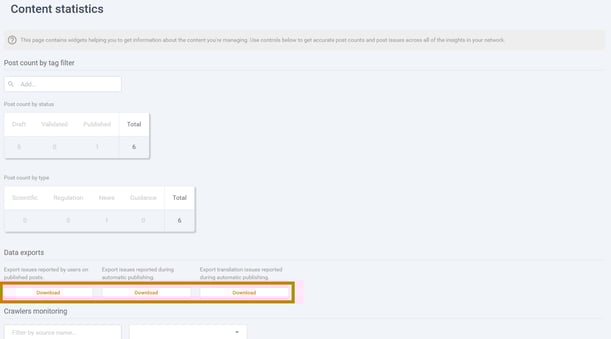
This analytical widget helps you monitor the health and volume of the content your team is managing.
- View a breakdown of posts by their workflow status (Draft, Validated, Published) or by their specific type (Scientific, Regulation, News).
- Quickly download reports regarding any content issues reported by users or automated publishing errors.
User Statistics
Understanding user adoption is key for ROI. This dashboard allows you to track exactly how your team is engaging with the platform.
- Filter by specific date periods to see individual user activity, including the number of global searches they perform, which specific search types they use (Regulation, News, Scientific), and how many posts they are actively reading.
- You can export this data for internal auditing or reporting.

Discover our new onboarding platform full of video guides - SGS Academy!