
The Regulation Catalogue is designed to give you a comprehensive view of the legislative landscape. However, to avoid overwhelming you with data, the new interface allows you to filter documents based on their specific legal lifecycle status.
Understanding the Filters
When you navigate to the Regulations tab in the search tool, you will see four specific filter options. Selecting one of these allows you to isolate the exact type of document you need:
-
In Force:
- All regulations that are currently active and legally binding at this moment.
-
Use case: Checking current compliance requirements.
-
Not In Force:
-
Old regulations that have been repealed, replaced, or are no longer applicable.
-
Use case: Historical research or understanding what laws were valid in the past.
-
-
Upcoming:
-
New regulations that have been officially approved but have not yet reached their enforcement date.
-
Use case: Preparing for future compliance changes.
-
-
Guidance:
-
Supporting documentation that explains how to implement a law, rather than the law itself.
-
Use case: Finding practical advice or official interpretations of complex rules.
-
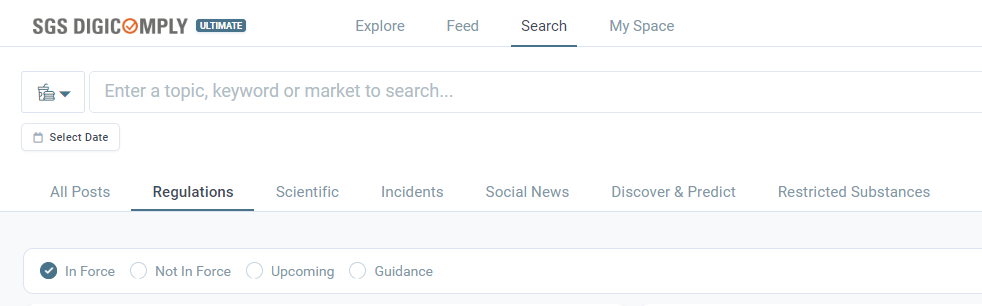
How to Apply
Simply click on the radio button corresponding to the status you are interested in. The list below will immediately update to show only the relevant documents.
Discover our new onboarding platform full of video guides - SGS Academy!