
Ask questions within your Insight
Open an Insight of your interest and select AI-Copilot tab:
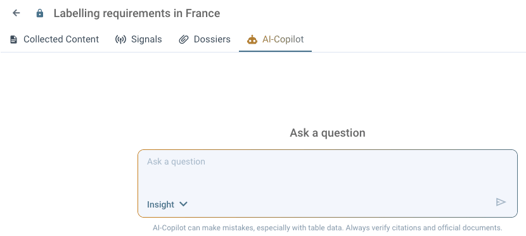
There is a text area where you can start writing your question. Once your question has been formulated, you can select in which scope should AI-Copilot search for the information.
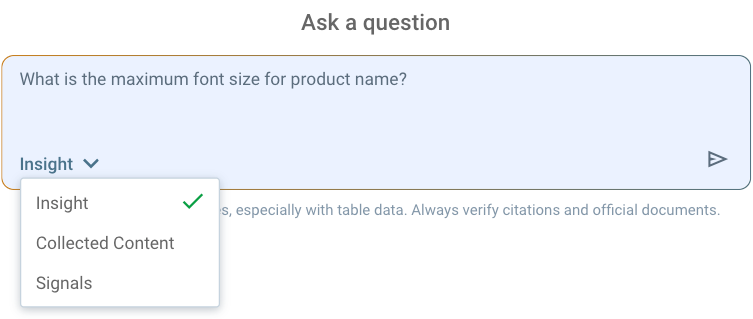
Select one of the possible options:
-
Insight - the AI-Copilot will search for information in the Collected Content and Signals
-
Collected Content - only posts in the Collected Content tab will be used to get the information
-
Signals - only Signals and their references will be used to get the information
👉Once the scope is selected, click Send.
AI-Copilot will try to find the best answer based on the scope you selected and the documents within the scope.
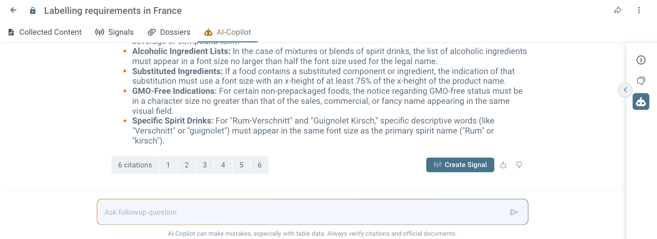
Under each answer, you can find the list of citations where the answer was found. Clicking the number of the citation document preview opens, and you are navigated to the part of the text where the information was found.
If you found the answer important and you want to keep it in your Insight, create a Signal from it by clicking the Create Signal button.
If needed, you can ask follow-up questions using the input at the bottom of the document.
AI-Copilot history
We keep a history of your previously asked questions within every Insight you have access to.
You can access it by opening a panel on the left side of the screen and clicking the AI-Copilot icon.
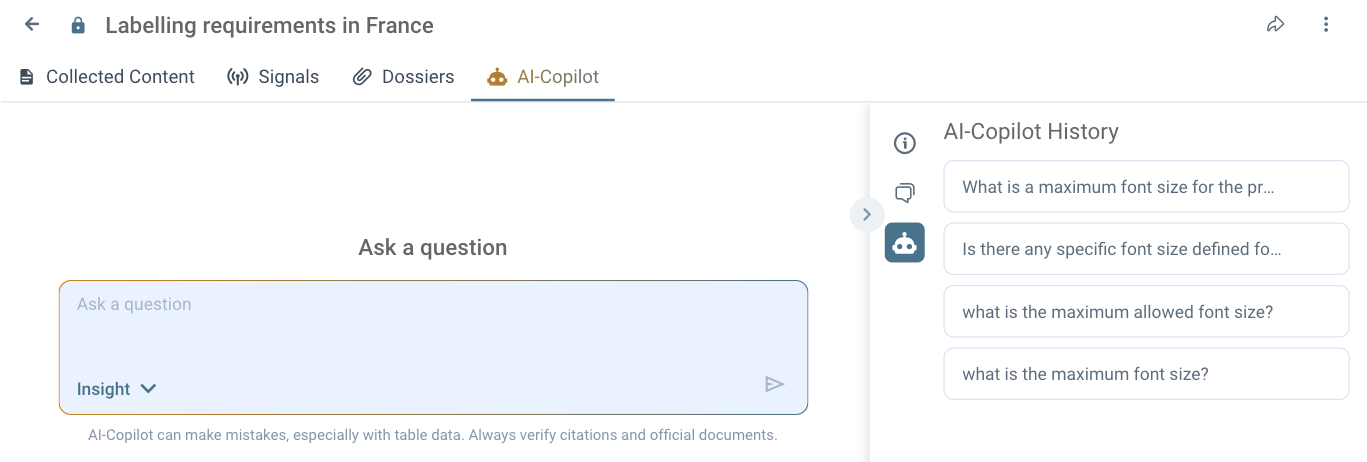
Clicking on the question in the list will open the whole thread at the point where you left.
Discover our new onboarding platform full of video guides - SGS Academy!