
There are two options for removing collected dossiers from an Insights:
- when in the Dossier detail
- when in the Insight detail
In the dossier detail
- Find the Dossier you would like to remove from the Insight and open it.
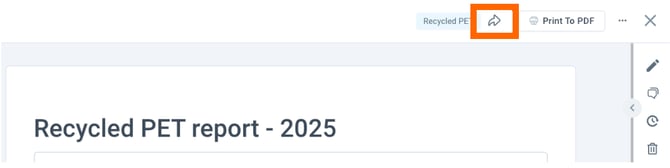
- Click the Share icon in the header.
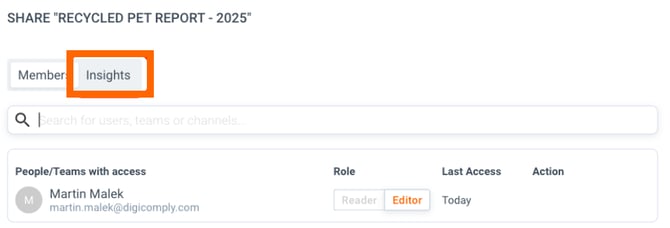
4. A share dialog is opened. Select the tab Insights
5. The Insights the document is shared in are listed at the top. Find the Insight you would like to remove the document from and click the button REMOVE
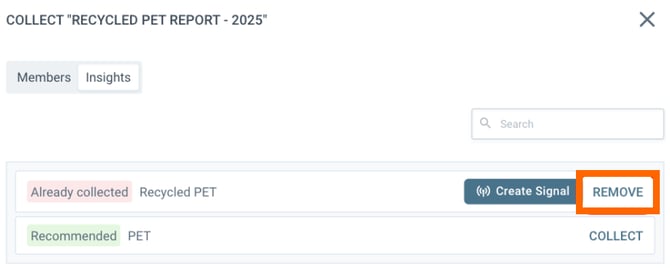
6. The dossier is then removed from the Insight.
In the Insight detail
- Select the tab dossiers and find your dossier in the listed results
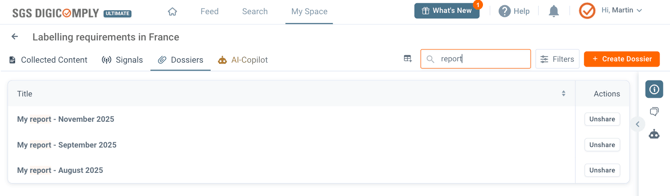
- Once you find your Dossier, click the Unshare button on the right. A confirmation dialog is opened
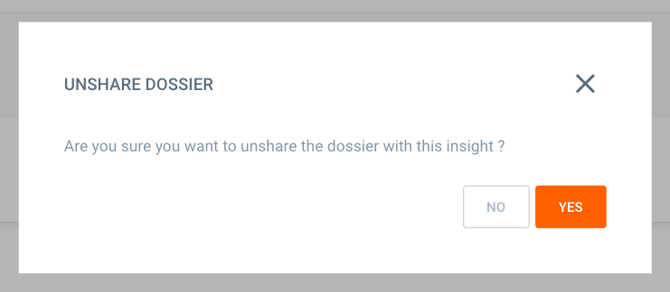
- To finish the unsharing process, click Yes, and the dossier will be removed from the Insight
Discover our new onboarding platform full of video guides - SGS Academy!