
The Regulatory Change Management (RCM) process in SGS Digicomply allows you to effectively identify and control regulatory triggers that may impact your business. By combining automated Data Feeds with AI-Copilot analysis, you can boost operational efficiency and maintain a complete audit log of your compliance decisions.
The Workflow at a Glance
The process operates in three integrated steps:
-
Identify: Extract pertinent posts from your Data Feeds.
-
Analyze: Engage with AI-Copilot to distill vital information (deadlines, pivotal terms, business implications).
-
Action: Populate this data into a Regulatory Change Trigger (RCT) record to track its lifecycle.
_____________________________________________________________________________
1. Analysis with AI-Copilot
Start from a Search result page or your dedicated Data Feed. Open a document you need to analyze.
-
Generate Abstracts: Use AI-Copilot to provide an instant abstract outlining the key relevant points of the document.
-
Ask Specific Questions: You can ask the AI questions relevant to your business logic, such as:
-
"What is the deadline for implementing this regulation?"
-
"What is the impact for [specific product type]?"
-
-
Pin Insights: These AI-generated insights can be pinned directly into a Dossier to enrich your content.
2. Creating a Regulatory Change Trigger (RCT)
Once you identify a regulation that requires action, you create a Regulatory Change Trigger (RCT). This record serves as the central hub for that specific issue.
-
Classification: Classify the RCT according to Impact, Stage and Priority.
-
Customization: If the default fields do not match your workflow, you can customize properties using the Property Management page.
Note: If this feature is not enabled on your account, please contact support.
-
Evolution: An RCT is not static. Within each record, you can add as many references as needed. For example, an RCT might start as an "Early Signal" when public authorities discuss a change, and evolve into a "Mainstream" stage when the regulation becomes effective.
3. Collaboration & Task Management
License Requirement:
Collaborative sharing and task management features require a Team Edition license. Please contact support if you need to upgrade.
Throughout the lifecycle of the RCT, you can involve various stakeholders to ensure nothing is missed.
-
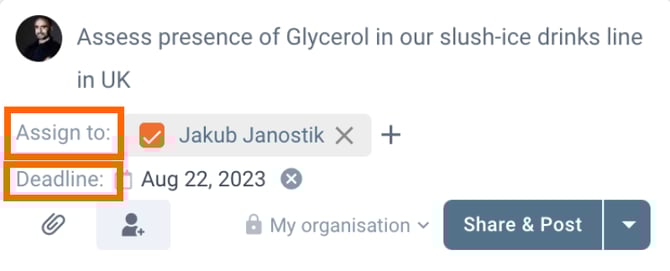
Assign Tasks: specific users to the RCT to ensure ownership.
-
Set Deadlines: specific dates for assessments or implementation.
-
Comment: Communicate with peers directly inside the record.
4. Visualizing Progress (Dashboards)
Once your RCT library is established and maintained, you can manage the big picture using Dashboards.
-
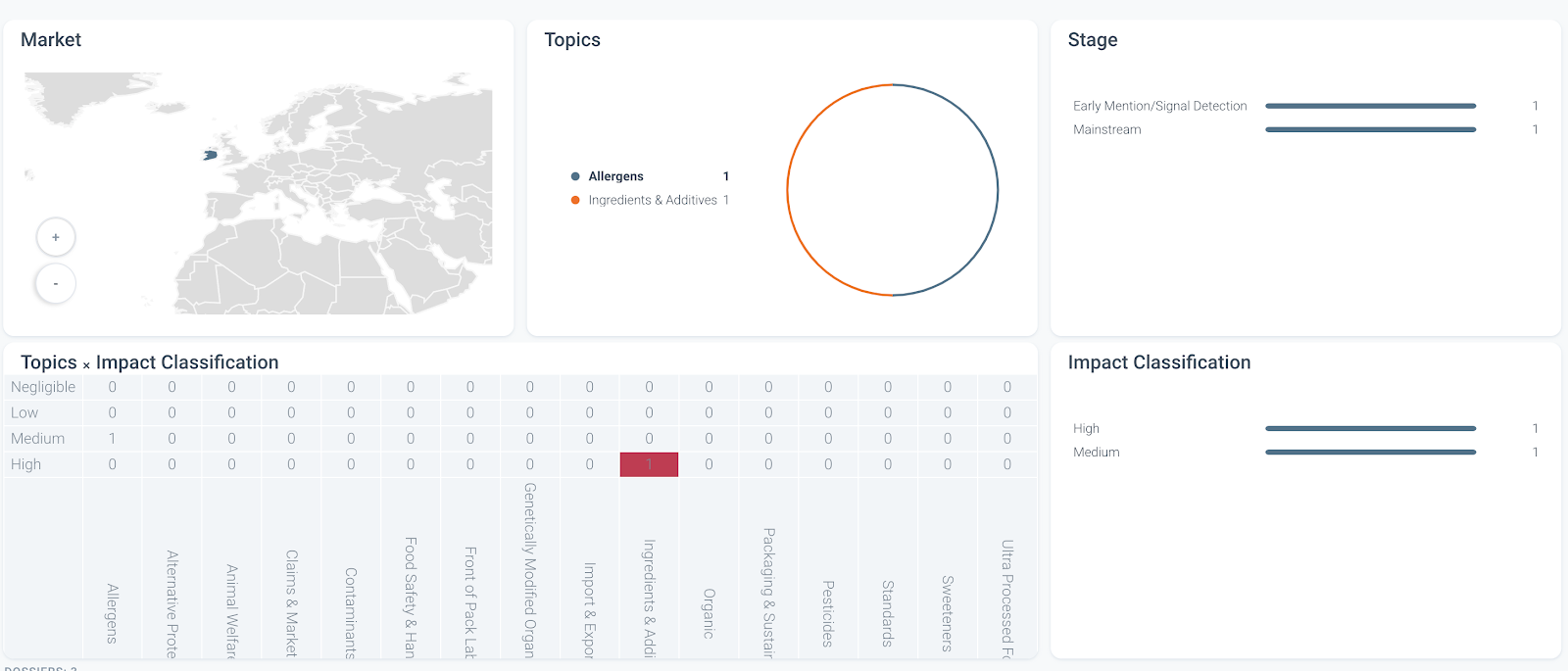
Track Status: Use visual charts to monitor the volume of triggers by Stage, Impact, or Topic.
-
Geographic View: Visualize impacted markets on the map.
-
Export: Data feeds and records can be exported for offline usage or reporting.
What is an RCT?
A Regulatory Change Trigger is a data signal - such as a government announcement, legal verdict, or industry trend - that indicates a potential shift in the regulatory environment. RCTs act as an early warning system, enabling organizations to anticipate new requirements and take proactive measures to ensure compliance and minimize operational risk.
Discover our new onboarding platform full of video guides - SGS Academy!