
NOTE: Creating Insights is available exclusively to ULTIMATE users.
1. In the main navigation bar at the top of the page, go to My Space.

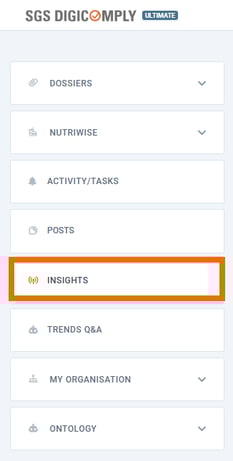
2. In the left-hand menu, select Insights.
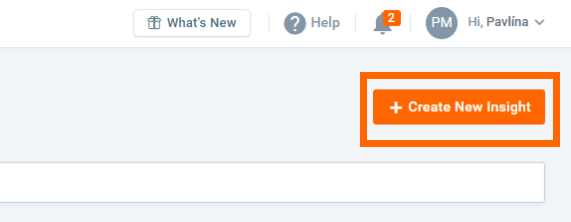
3. Once the page loads, click Create New Insight in the top-right corner.
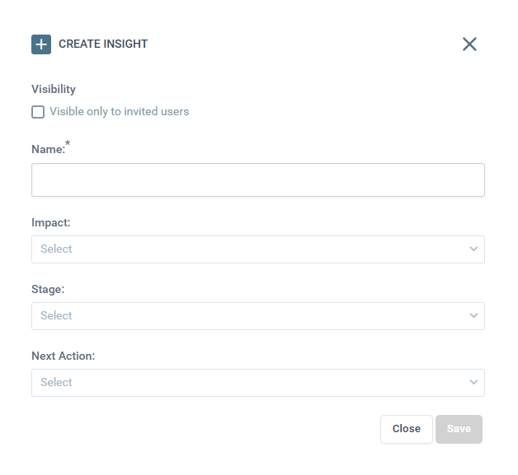
4. Once you click on the button, the "Create Insight" dialog box will appear on your screen.
-
- Choose a name for your Insight.
- You can also use the 'Visibility' checkbox to restrict access so that only invited users can view this specific workspace.
- Fill out the categories (Impact, Stage and Next Action) yourself to track its progress through your workflow or let us customize these fields specifically for your account.
5. Once you have filled in the relevant information, click Save to generate your new Insight.
👉The dialog box will close, and your new Insight will appear in the Insights list.
NOTE: It is not possible to create two Insights with the same name. In case you try to create a new Insight that already exists, the system will inform you about it.
Discover our new onboarding platform full of video guides - SGS Academy!