
When using the AI-Copilot assistant to research regulatory topics, you often receive valuable answers that you want to keep for future reference. Instead of copying and pasting text, you can instantly convert these answers into a structured Signal.
Generate an Answer
-
Navigate to AI-Copilot: Open any Insight you have access to and select the AI-Copilot tab.
-
Ask a Question: Type your regulatory query (e.g., "Is there any specific font size defined for the labels?").
-
Review: The system will generate an answer with citations.

If the answer is important for your workflow, locate the Create Signal button displayed directly next to the answer box and click it.
Select Destination
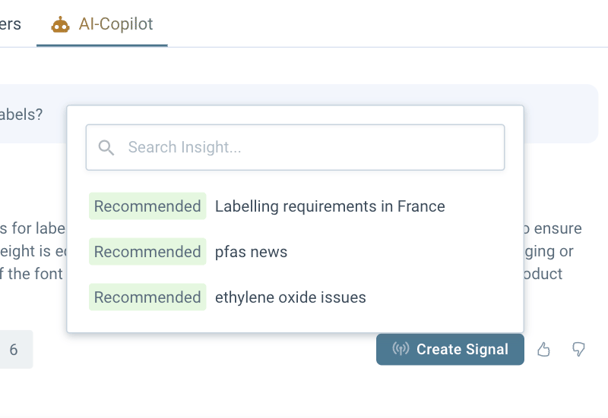
A dialog will appear asking where you want to store this signal.
-
Recommended Insights: The system may suggest relevant Insights based on the content.
-
Search: You can search for any other Insight in your organization that you are subscribed to.
Review & Save
Once you select an Insight, the Create Signal form opens with the data pre-filled:
-
Description: The AI's answer is automatically pasted here.
-
References: All documents and regulations cited in the answer are automatically attached as references.
-
Edit: You can modify the text or add custom properties (like Market or Priority) as needed.
-
Finish: Click Create to save the Signal to the selected Insight.

Discover our new onboarding platform full of video guides - SGS Academy!