
Sharing with Colleagues
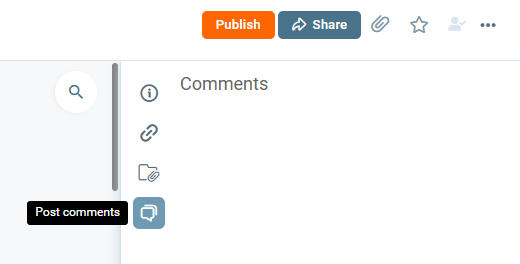
To share a post with another Digicomply user without leaving the platform, use the Comments feature.
-
How to do it: Open the post and locate the "Comments" tab in the right-hand panel.
-
The Mention Feature: Type @ followed by your colleague's name (e.g., @JohnDoe) in the comment box.
-
Result: The user will receive a direct notification linking them to the article.

Downloading the Original Source
If the regulatory post was sourced from an external file, you can retrieve that original file.
-
Locate the Link: Look for the Source Link icon (chain link) in the right-hand panel under "POST INFO".
-
If it's a Webpage: Clicking the link will redirect you to the original website.
-
If it's a PDF: Clicking the link will prompt a Download of the original PDF file to your computer.
-
Note: This downloads the document in its original language, not the translated English version.
-
Printing & Exporting to PDF
You may wish to generate a clean PDF export of the post as viewed in Digicomply (including translations or formatting).
Feature Availability: The ability to export a system-generated PDF of a post is currently restricted. If you require this feature for your workflow, please contact your Client Representative to discuss enabling this option for your account.
Discover our new onboarding platform full of video guides - SGS Academy!