
Transparency is key to trust. The Content and Source Statistics widget provides a complete window into the thousands of sources Digicomply monitors. It allows you to verify coverage, check the "health" of specific sources, and troubleshoot if you suspect data is missing.
The Statistics Dashboard
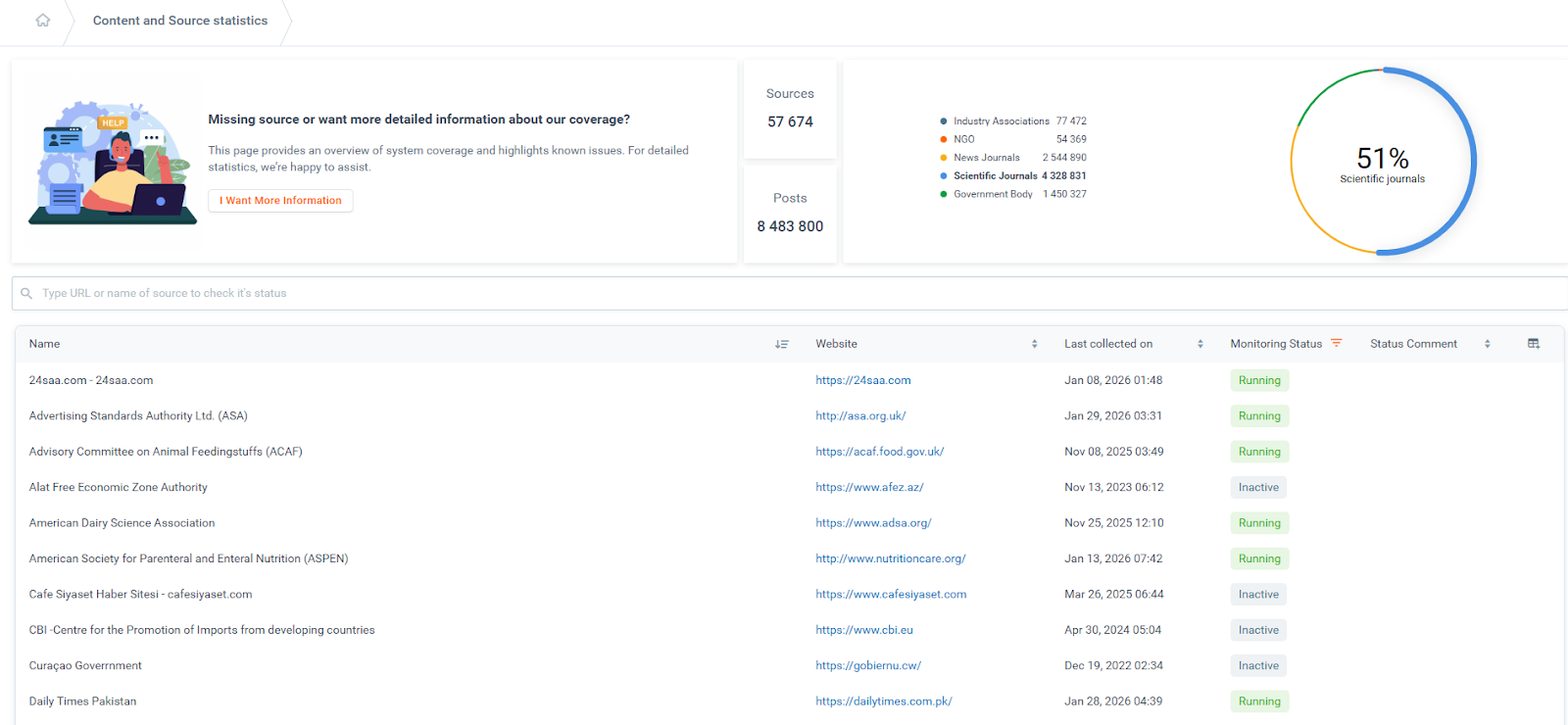
The main view provides a high-level summary of the system's reach.
-
Search: You can quickly find a specific source by typing its name or internet domain (URL) into the search bar.
-
Global Stats: The widget displays the total count of Sources and Posts currently in the database, along with a breakdown by source type (e.g., Government Bodies, Scientific Journals, NGOs).
Analyzing Specific Sources
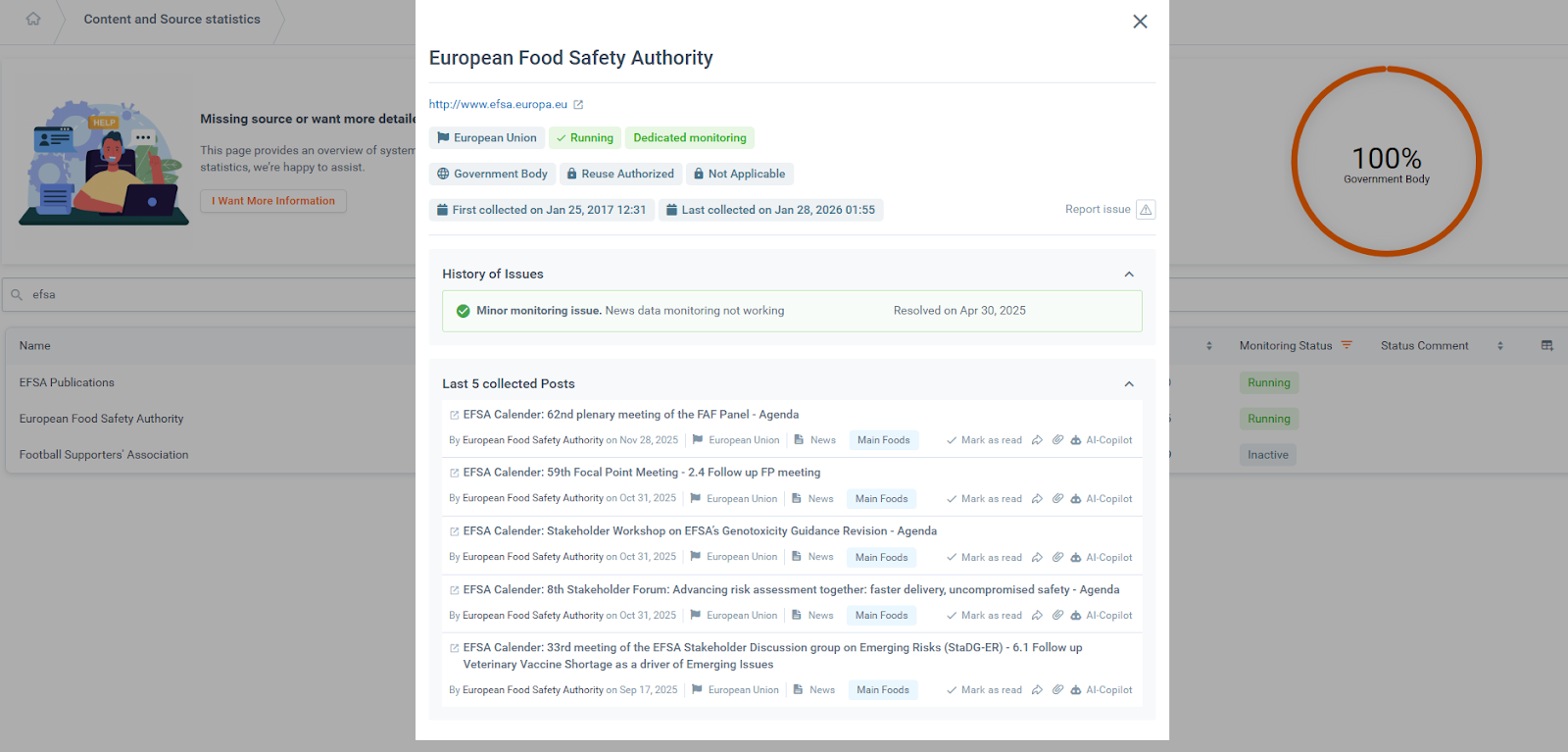
By clicking on the name of any source in the list, you can open a detailed drill-down view. This panel offers critical context:
-
Health Check: See if the source is "Running" or experiencing issues.
-
History: View a log of past monitoring issues and their resolution status.
-
Recent Activity: Browse the last 5 posts collected from this specific source to verify data flow.
Understanding the Data Fields
The results table contains several technical fields designed to give you precise information on data collection.
-
Monitoring Status: Indicates the current activity level of the source.
-
Running: Active and has produced content in the last 3 months.
-
Inactive: Has not produced content in the last 3 months (often normal for slow-moving regulatory bodies).
-
Monitoring Issue: The crawler is not working properly; no content is being collected.
-
Minor Monitoring Issue: Partially working; specific details will be in the "Status Comment" column.
-
-
Last Collected On: The specific date and time Digicomply captured the most recent post.
Note: This is distinct from the publication date. "Last collected" refers to when our system fetched it, whereas "publication date" is when the source released it online.
-
Monitoring Type: Reveals if the source is tracked via a dedicated crawler or an aggregator. (Both methods are valid; the choice depends on technical optimization).
-
Copyright & Licensing: Indicates whether Digicomply can display the full text or must provide a link to the original document due to legal restrictions.
Customizing Your View
You can configure the table to show only the data relevant to you. Click the Columns icon on the far right of the table header to enable or disable specific fields (such as Website URL, Source Type, or Status Comments).