
Step-by-step guide for receiving an email when new content appears in your feed:
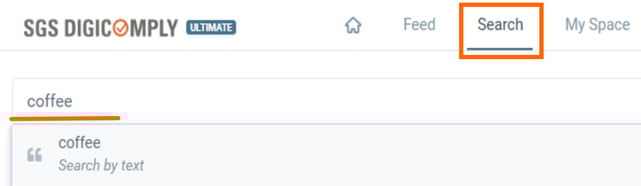
1. Perform your search in SGS Digicomply - write what you are looking for.
2. Click on 'Save To Feeds'.
3. Can I receive an email when new content is available in my feed?
Yes. To do so, click the 'Save To Feeds' button after performing a search. From there, you can select your preferred notification type:
- Summary:
Receive a single email - daily, weekly, or monthly - containing all new posts published during that period. - Threshold:
Receive a summary email - daily, weekly, or monthly - only when the number of new posts exceeds the threshold you’ve defined for that timeframe.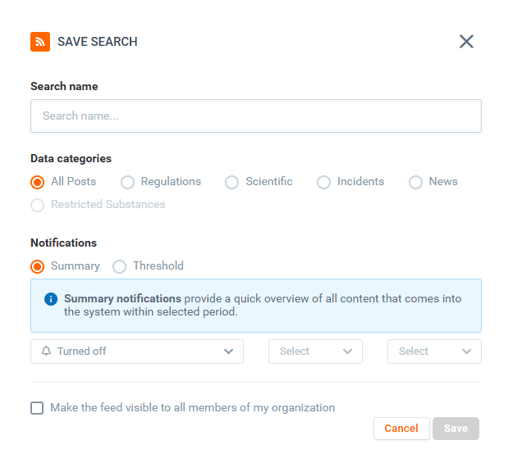
⚠️Kindly note that the available options may vary depending on your license.
Discover our new onboarding platform full of video guides - SGS Academy!