
You can easily export the full list of limits found in your search to an Excel spreadsheet. This is useful for sharing data with colleagues who do not have access to the platform or for performing custom analysis outside the tool.
1. Run Your Search
First, ensure you have performed your search on the Restricted Substances page and that the results table is populated with the limits you wish to export.
2. Initiate Export
-
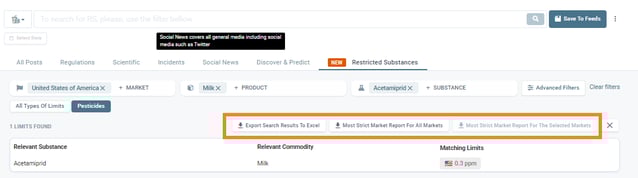
Locate Button: Look for the 'Generate Report' button positioned above the results table on the right-hand side.
.png?width=626&height=243&name=image%20(12).png)
- Select Format: Click the button to reveal the available options. Select Export Search Results To Excel.
3. Result
The system will generate and download an .xlsx file to your device. This file contains all the detailed columns from your search view, including Markets, Commodities, Substances, and the specific numerical limits.
Discover our new onboarding platform full of video guides - SGS Academy!